Getting Started with Yearwise Planner: A Complete Guide
Yearwise Team · · 2 min read · Updated November 7, 2026
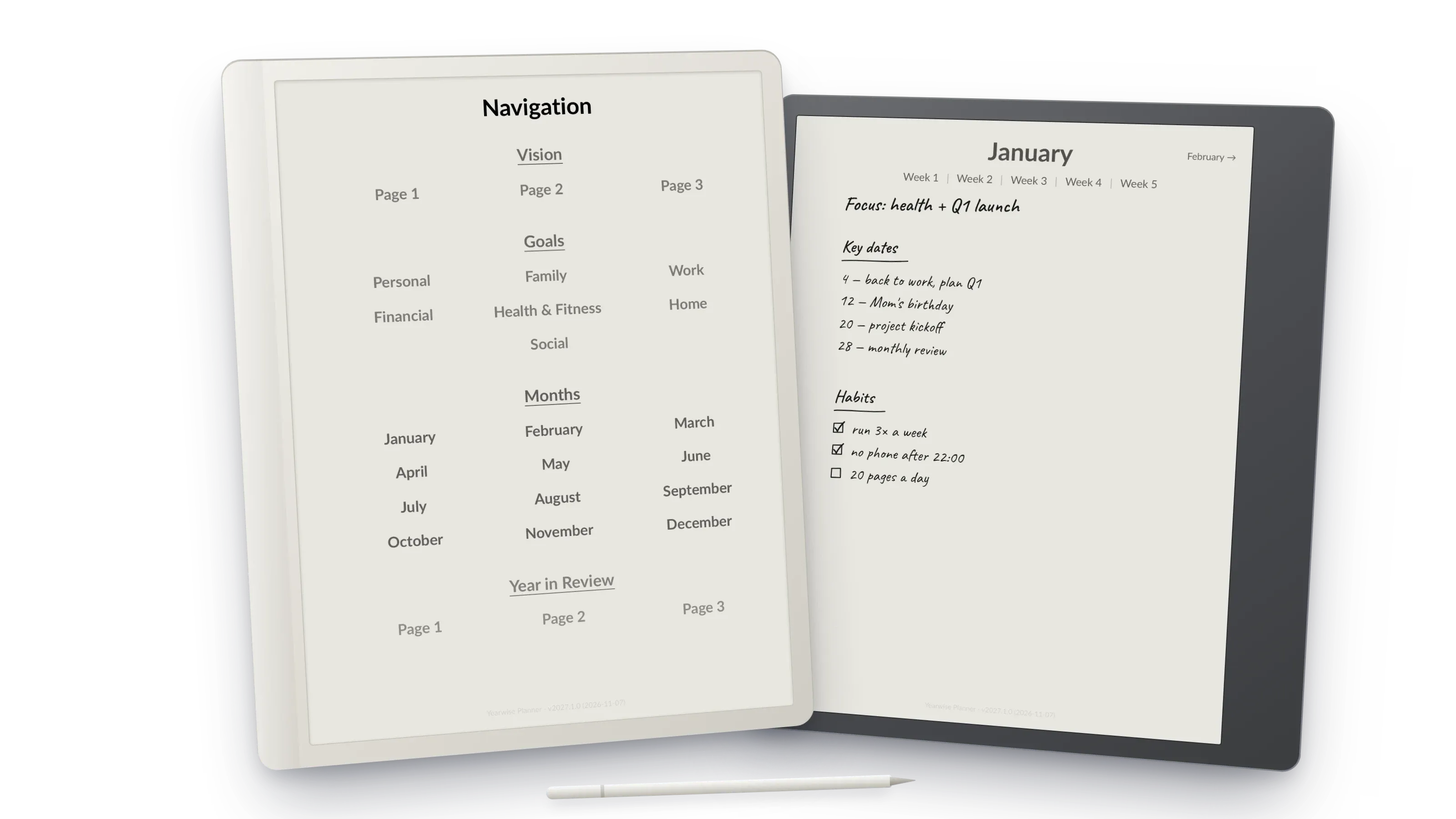
Welcome to Yearwise Planner! Whether you’re new to digital planning or a seasoned pro, this guide will help you get the most out of your planner.
Why Year Planning Matters
Planning your year in advance isn’t just about organization—it’s about living intentionally. When you can see your entire year at a glance, you gain:
- Perspective on how your days connect to bigger goals
- Clarity about what truly matters to you
- Control over your time and energy
- Motivation from tracking progress over time
Setting Up Your Planner
Step 1: Pick the Right File
Your download contains two editions of the same planner:
- e-ink (3:4): for reMarkable, Supernote, Boox and Kindle Scribe. It fills the screen and leaves room for the reMarkable toolbar.
- A4: for iPad and Android tablets (GoodNotes, Notability, PDF Expert, Xodo) and for printing.
Step 2: Put It on Your Device
- reMarkable: drag the PDF into the reMarkable desktop app or my.remarkable.com.
- Supernote: copy it to the Document folder over USB or Supernote Cloud.
- Boox: send it with BooxDrop or copy it over USB.
- Kindle Scribe: use Send to Kindle and keep it as a PDF (don’t convert it), so the page layout stays intact.
- iPad / Android: open the PDF in your annotation app and import it as a new notebook.
Then tap a month on the navigation page to check that the links work.
Step 3: Start with Goals
Before diving into daily planning, spend time with the Goal Setting sections. Yearwise Planner includes dedicated pages for seven life areas:
- Personal Development
- Family & Relationships
- Work & Career
- Health & Fitness
- Financial Goals
- Home & Living
- Social & Community
For each area, think about what success looks like at the end of the year.
Step 4: Use the Navigation
One of the best features of Yearwise Planner is the Intuitive Navigation. From the main navigation page, you can jump directly to:
- Any month
- Goal setting sections
- Year in Review
Within each month, you can navigate to specific weeks, and from weeks to individual days.
Step 5: Daily Planning Routine
Each day page includes:
- Time blocks from 6 AM to 8 PM
- Notes section for capturing ideas
We recommend reviewing your day page each morning and evening for maximum effectiveness.
Tips for Success
- Be consistent — Even 5 minutes of daily planning makes a difference
- Review weekly — Use week pages to reflect on progress
- Stay flexible — Plans change, and that’s okay
- Celebrate wins — Mark completed goals and achievements
Ready to Begin?
Try the free January sample and start your journey toward a more organized, intentional year!